🔐 WireGuard VPN in a Kasm Container

📝 1. File Mapping
To get started, navigate to the workspace you would like to configure and choose "+ Add File Mapping":
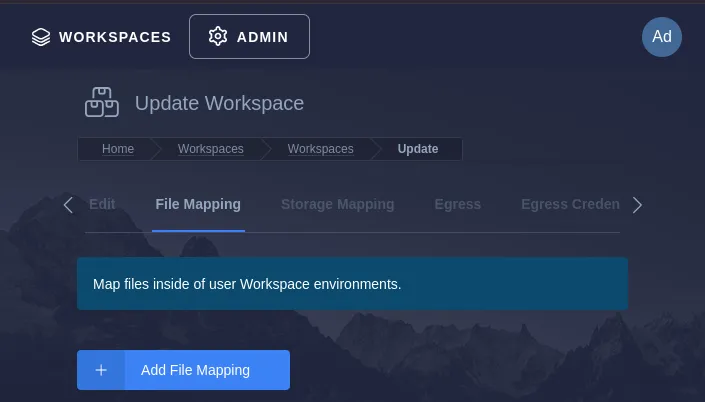
📍 2. Set the Destination Path:
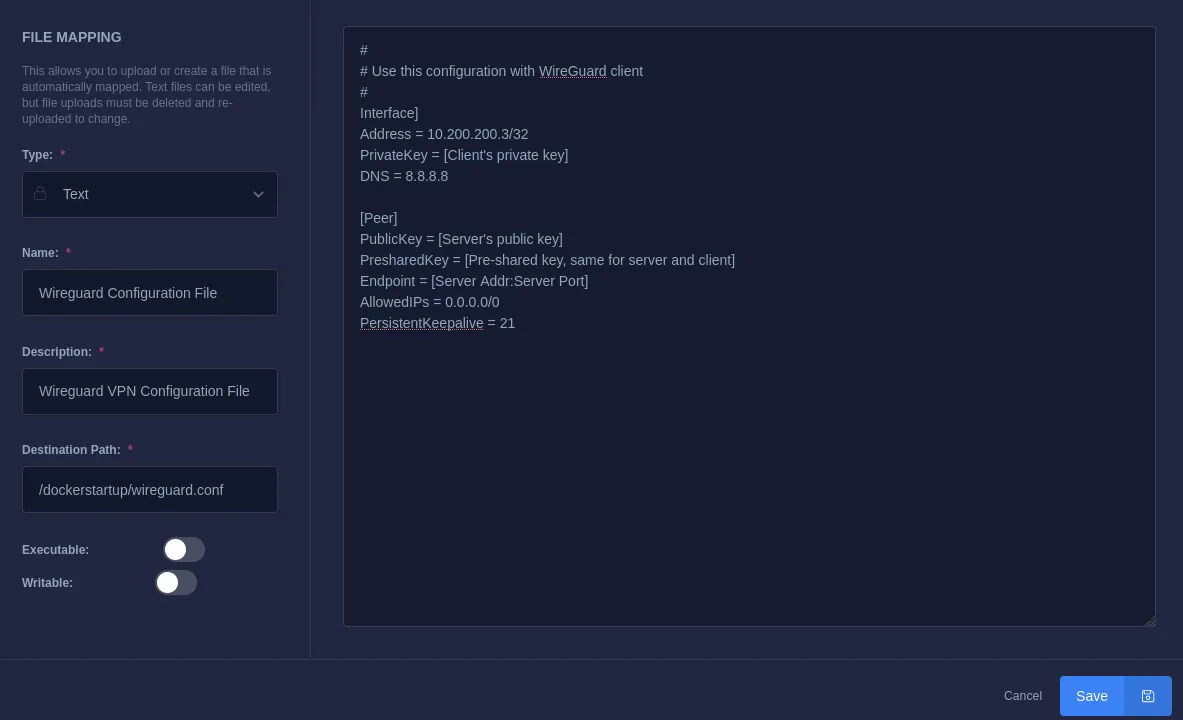
Within the Destination Path field, enter the following:
/dockerstartup/wireguard.conf
🔑 3. Wireguard Config
In the text field, paste your WireGuard configuration:
NOTE: The private key has been redacted. You must replace this configuration file with one from your VPN provider.
[Interface]
Address = 10.200.200.3/32
PrivateKey = [Client's private key]
DNS = 8.8.8.8

[Peer]
PublicKey = [Server's public key]
PresharedKey = [Pre-shared key, same for server and client]
Endpoint = [Server Addr:Server Port]
AllowedIPs = 0.0.0.0/0
PersistentKeepalive = 21
✅ Outcome
The configuration should look like this:
After applying the wireguard.conf configuration, your Kasm container will be ready to route traffic securely through the VPN.